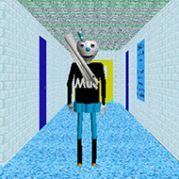










Mario’s talking head in Mario Teaches Typing 2 does not behave like a simple menu mascot; it chats, jokes and reacts to your mistakes for the entire session, and many players remember that face more vividly than any lesson they finished. Behind the famous head is a structured typing tutor that still teaches the home row surprisingly well.
The whole program is built on the home row. Lessons start with ASDF and JKL; under your fingertips, then slowly add the top row, bottom row, numbers and punctuation. Each lesson pairs short drills with a small game segment, so you are never typing into a blank box for long.
The idea is repetition disguised as play.
Correct keystrokes keep your character moving through the stage, while errors slow things down and draw comments from the talking head. Kids who find traditional typing drills boring usually stick with this format longer, because every finished drill feels like progress through a level rather than a worksheet.
The lesson order matters. Skipping ahead is the most common reason progress stalls, so this sequence is worth following:
You choose a guide before starting, and the options are Mario, Luigi and Princess Toadstool. The choice changes the flavor of the stages and the character you watch while typing, but the lessons underneath follow the same skill progression, so there is no wrong pick.
Still, preferences run strong. Longtime fans often pick Luigi out of loyalty, while younger players tend to stick with Mario because he is the face they recognize from the talking head. Parents setting it up for a child usually let them choose, since ownership over the character keeps the practice sessions going.
Switching guides later is a good way to refresh motivation once the early lessons start to feel repetitive. A fresh face on screen is often enough to get another week of practice out of a reluctant learner.
Once the basic lessons are done, timed tests take over. They report speed in words per minute along with accuracy, and that pair of numbers becomes the real goal for anyone serious about improving. Chasing speed while ignoring accuracy is the classic mistake, because the test keeps flagging errors that slow your real typing far more than a slightly lower number would.
A few habits separate steady improvers from frustrated ones. None of them are complicated, but all of them take discipline:
Adult learners revisiting the program often find that the tests are the most useful part today, because they give a quick, honest snapshot without any setup. Running one test a day is enough to see real progress over a few weeks.
The animated head is the most discussed part of the program. For some players it is pure nostalgia, a cheerful voice that made practice feel like a conversation. For others it borders on unsettling, and clips of it are shared as internet curiosities as much as fond memories.
The other honest criticism is that the program shows its age. Getting it running on current machines is a common forum topic, and the pacing of the voice lines can feel slow compared with modern typing apps.
Even so, the lesson structure holds up, and the talking head gives Mario Teaches Typing 2 a personality that plain drill software never had. That mix of structure and silliness is why people still bring it up in threads about learning to type.
Yes, because it starts with the home row and builds up one row at a time. The level segments with Mario, Luigi or Princess Toadstool reward correct keystrokes immediately, which keeps younger learners practicing longer than plain drills would.
It depends on age and experience, but steady accuracy matters more than a high number early on. Aim for fewer errors first, then push speed once the home row feels automatic, since the test results show both values side by side.
No, the guide mostly changes the look and personality of the stages. Mario, Luigi and Princess Toadstool all lead through the same home row, top row and bottom row progression, so pick whichever one keeps you motivated.
Mario Teaches Typing 2 still works as a real typing course: start with the home row, let Mario, Luigi or Princess Toadstool carry you through the stages, and use the words per minute tests to track progress while the famous talking head keeps commenting on every slip. Stick with the order of the lessons and the speed numbers will follow.