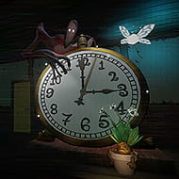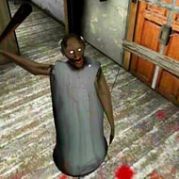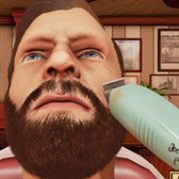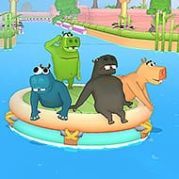









What do you do when a scene you know by heart loses its voices and the lines on screen are suddenly yours to perform in Dub Together? That is the question every round puts to you, and the answer usually involves a microphone, a bad idea, and five other people waiting to hear it. Up to six players can sit in one lobby, so the pressure and the laughter are both shared.
| Genre | Party and comedy |
| Group size | Up to six players |
| Modes | Parallel Mode and Character Mode |
| Round flow | Record, watch, vote |
| Extras | Pack Creator, Steam Workshop, Twitch voting |
Getting everyone in is quick: friends join through the Steam friends list, and anyone else can type in the lobby code. Once the group is assembled, the host picks a mode and a pack, and the first clip appears without its original voices. Most groups spend the opening seconds of the first round in a nervous kind of silence, because nobody wants to be the person who sounds the most awkward.
That awkwardness fades fast. A round timer keeps things moving, and you can redo any recording you are unhappy with while it is still running, so a stumbled line costs you a few seconds instead of your dignity.
Beginners tend to read the text exactly as written, which is the safest and least funny choice. Players who have sat through a round or two stop reading and start acting, stretching pauses, changing pitch, and treating the scene like a stage. The shift from reciting to performing is the moment a lobby stops feeling like a test and starts feeling like a party.
In Parallel Mode everyone dubs the same clip, but nobody hears what the others are recording. You see your text, you speak it to fit the picture, and you move on to the next line with no idea whether your joke matches or clashes with the rest of the room. Every round follows the same three steps:
The reveal is where the mode earns its reputation. Six takes of the same scene arrive back to back over the original picture, and the contrast between them is often funnier than any single performance. A dramatic confession can become a whisper in one take and a shout in the next.
Voting rewards boldness over polish, which players quickly learn. Every take can be saved as a video afterwards, so the winning dub does not have to disappear when the lobby closes. One honest drawback is that quieter players may feel exposed, because there is nowhere to hide when everyone hears your voice at once.
Character Mode drops the contest and builds a single cut together. Every character in the clip is assigned to one performer, and any role nobody takes keeps its original voice. The mode needs at least two players, so it works for a pair of friends as easily as for a full lobby.
Recording happens in turns. Whoever is up speaks their lines while the others watch, which means the dialogue reacts to what was just said instead of running beside it. That turn-taking gives scenes a conversational feel that Parallel Mode cannot match, because you can answer a line you actually heard.
There is no vote, so the round ends with one shared video rather than a winner. Some groups miss the podium and the friendly rivalry, and that is the main reason players alternate between the two modes. Others prefer the cooperative result, since the finished scene belongs to everybody who spoke in it.
You choose a voice effect for each individual line, and the choice often matters more than the delivery. Six effects are available, and the ones players mention most are easy to remember.
Chipmunk. A high squeaky voice that makes serious lines sound ridiculous, and a favourite for turning a villain’s speech into a joke.
Monster. A deep, menacing tone that can make a friendly greeting sound like a threat.
Echo. Adds a long tail to your voice, which suits dramatic pauses and final words.
Robot. Flattens emotion into something stiff and mechanical, perfect for deadpan lines.
Phone. Makes you sound as if you are speaking through a call, which works well for scenes with distance or secrets.
The effects are applied directly to your recording, so everyone hears the exact performance you built. A noise filter also cleans up background sound between sentences, which helps simple headsets hold up in a full lobby. Players do argue about overuse, because stacking a strong effect on every line can drown out a good joke.
The Pack Creator lets you turn your own videos into rounds. You drop in a clip, trim it down to the moment you want, and the spoken parts are found automatically with matching text written for them. Speech, music, and background sound are separated, so the atmosphere stays in place while the original voices are replaced.
After that, you assign a character to each line, export the pack, and play it straight away. The process is quick enough that making a pack mid-session is realistic, which is why people who enjoy editing often become the lobby’s unofficial clip supplier.
Rights matter here, and the game says so plainly: only use material you hold the rights to, and get permission for films, shows, or music made by others. The game itself ships with just one bundled pack, so the pack library depends on what the community builds, a point that fans of ready-made content sometimes raise.
Uploading a finished pack to the Steam Workshop takes one click, and subscribing to someone else’s pack adds it to your list immediately, with no restart. If a player in the lobby is missing the pack for the round, their game fetches it when the round starts, so nobody has to pause to download anything by hand.
Streamers can connect a Twitch channel so viewers vote for their favourite performance with !vote or just the number. Chat influences who wins the round, which turns viewers into a seventh and eighth voice in the room without needing a seat in the lobby.
Streamer mode hides the lobby code on screen, which keeps uninvited guests out of a live session. Workshop packs vary in quality since players make them, so a clip with clear lines and good audio will almost always run better than one with muffled dialogue.
Character Mode needs two players, while Parallel Mode works best with a bigger group of up to six who can vote on the podium. Friends can join through the Steam friends list or a lobby code.
Yes, as long as the round timer is still running you can redo a line and pick a different voice effect such as Echo or Robot. Once the timer ends, the take goes to the curtain as it is.
No, the game includes one bundled pack, and you can subscribe to more through the Steam Workshop. If you want something different, the Pack Creator turns your own videos into rounds.
Dub Together is at its best when someone commits fully to a Monster growl on the wrong line and the whole lobby has to watch it back at the curtain. Whether you are fighting for the podium in Parallel Mode or sharing a role in Character Mode, the rounds that stay with you are the ones where nobody played it safe.